











Creating an account with BetKing gives Nigerian players access to sports betting services, account management, and a record of their activity from a connected device. The process is similar on desktop and mobile, provided that you enter your details carefully and use a phone number that you control.

Registration normally requires basic personal information, a valid phone number, and login details. After the account is confirmed, you can review the sportsbook, manage your profile, and contact support when you need help. Betting should remain within your budget and be treated as entertainment.
How to Register on BetKing
The process starts on the BetKing homepage. Select the registration option to open the form, then provide the information requested, such as your full name, date of birth, email address, and phone number. You will also choose a username or other login details and create a password.
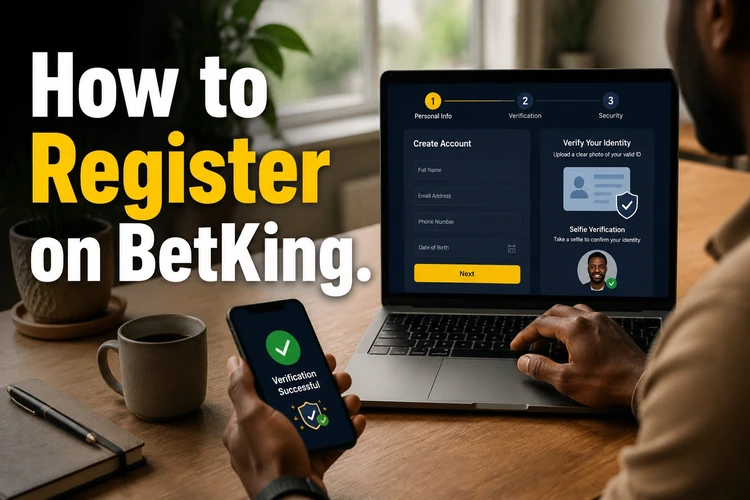
Read each field before submitting the form. Your name and date of birth should match your own records, and your contact details should be current. The terms and any age requirements should also be reviewed before you continue.
A verification code may be sent to the phone number entered during registration. Enter the code in the confirmation field if requested. This confirms control of the number and can help with later password recovery. If the message does not arrive, check the number, network signal, and blocked messages before requesting another code.
After the registration step is complete, use the login page to access the account. Keep the password private, and do not allow another person to register or place bets using your personal details.
Create a BetKing Mobile Account
You can complete registration from a smartphone or tablet through a mobile browser. The responsive site adjusts the form to a smaller screen, so the fields can be filled in without needing a desktop computer.
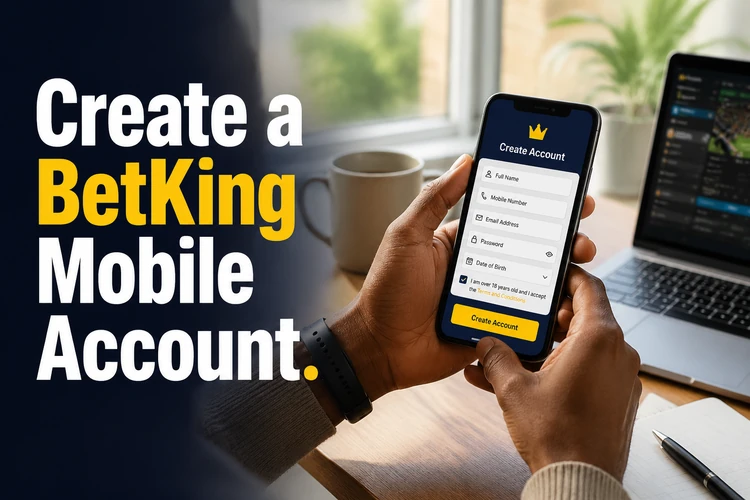
Take care when typing on a phone because a single incorrect digit can prevent verification. Check the phone number and email address before submitting, and make sure the device can receive SMS messages. Autofill can save time, but review any information inserted automatically.
Once the account is available, the mobile version lets you check your balance, view betting activity, and manage account settings while on the move. Use a private connection where possible, keep your device locked, and avoid saving passwords on shared phones. You may also use the mobile platform for easier access from a smartphone.
Open a BetKing Account with Phone Number
The phone number used during registration should belong to you and remain accessible. It may be used for verification, security notifications, and account recovery, so do not use a number that you cannot check regularly.
Enter the number in the format requested by the form and confirm that your phone has network coverage. If a code expires, request a replacement through the available option rather than repeatedly entering old codes. Never forward a verification code to another person, even if they claim to be helping with your account.
If your number changes later, check the profile settings or contact support before losing access to the old number. You may be asked to confirm your identity before personal details can be changed. This protects the account from unauthorised changes.
Existing Accounts
Players who already have an account should use the login option instead of completing a second registration. Enter the current credentials carefully, and use the password recovery process if you cannot remember the password.
Password recovery may require access to the email address or phone number connected to the account. Follow only the instructions shown through the official platform, and do not give your password or recovery code to anyone. If the recovery message is missing, check your spam folder and confirm that the contact details are correct.
From the account dashboard, you can review available profile information, check betting history, and manage settings where those options are provided. Contact customer support if your details are incorrect, your account is restricted, or you cannot complete the recovery process.
Account Security
Choose a password that is difficult to guess and different from passwords used on other websites. A long combination of words, numbers, and symbols is generally safer than a short phrase based on your name, birthday, or phone number.

Be cautious when logging in on a public or shared computer. Sign out when you finish, avoid storing credentials in the browser, and check that no one can see the screen while you enter a password or verification code. Keep your phone and email account protected as well.
If additional security options are available, review them in the account settings and activate those that suit your needs. Monitor account activity and report unfamiliar logins or transactions through the official support channel as soon as possible.
Anyone who needs to block or close an account should contact the official customer support team and follow the account management procedure. Support can explain the available restriction or closure options. For help controlling betting activity, the responsible gaming guidance also provides practical information.
Conclusion
BetKing registration can be completed on a computer or mobile device when you have accurate personal details and access to your phone. Check every field, complete any requested verification, and protect the credentials used to access the account. After registration, review the available settings and use betting tools responsibly. If a problem affects access, verification, or account control, use official customer support rather than sharing sensitive information with a third party.
FAQ
You generally need your personal details, date of birth, email address, phone number, and a password. Enter information that belongs to you and check the form carefully before submitting it.
Yes. Registration can be completed through a mobile browser on a compatible smartphone or tablet. Check your contact details before submitting and keep the device available for any required SMS verification.
The timing depends on the verification step and whether the submitted information is complete. An SMS code may arrive shortly after registration, but further checks can take longer. Follow the instructions shown on the platform.
Use the password recovery option on the login page and follow the official instructions. You may need access to the phone number or email address linked to the account.
Check the profile settings for an available update option. If the change cannot be completed there, contact customer support before losing access to the old number. You may need to confirm your identity.
Contact official customer support and request the appropriate restriction or closure procedure. Explain whether you need a temporary block or permanent closure, and follow the instructions provided.