











Mobile betting has changed how Nigerians follow sports wagering and casino games. The BetKing mobile platform gives browser access to betting markets, live events, and account management from a smartphone. Whether you use Android or iPhone, the mobile site adapts to common screen sizes and connection conditions.

This guide covers the main mobile experience, including the streamlined Lite interface, desktop mode options, device compatibility, and practical fixes for slow loading. It focuses on what you can do from a phone, not on outdated web addresses or unsafe shortcuts.
Overview of BetKing Mobile
The BetKing mobile website runs in modern browsers without requiring an app download. You use the same account, betting markets, and account tools available on desktop computers. The interface adjusts to portrait and landscape orientation, placing essential controls within easier reach.
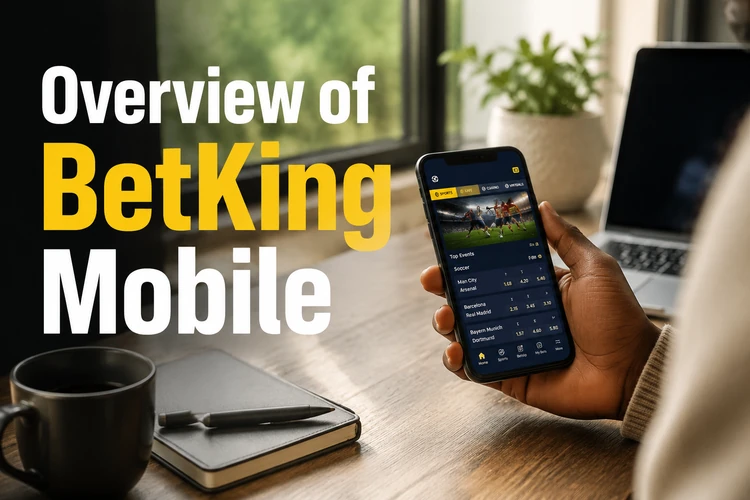
Navigation uses a simplified menu structure. Sports, live betting, and casino sections open with taps, while the bet slip stays easy to reach as you build selections. If your session expires, the login page is the safest route back into your account.
Account management works much like the desktop experience. Deposits, withdrawals, profile updates, and bonus tracking are handled through the mobile interface. Password resets and verification steps follow the same security process regardless of device.
BetKing Lite and Lightweight Mobile Experience
The Lite version is designed for slower internet connections and older smartphones. It reduces heavy visual elements so pages can load with less data. This can be useful on unstable 3G networks or during busy periods when a standard page feels slow.
Text-based navigation replaces some icon-heavy menus. Match listings usually focus on the essentials: teams, odds, market names, and start times. The bet slip is easier to read when the screen is small, especially if you are placing one or two selections quickly.
Older Android devices with limited RAM often benefit from a lighter interface. Phones with small storage or older processors may struggle with animation-heavy pages, so Lite mode can make browsing more stable. If a page still stalls, close unused apps before reloading.
Understanding Historical Mobile Versions
BetKing has updated its mobile interface several times in Nigeria. Earlier versions used different layouts, colour choices, and menu patterns. Some returning users may remember those designs and expect the current site to behave in the same way.
Platform changes usually aim to improve speed, security, and feature availability. Older layouts may not include recent betting markets, payment flows, or safer gambling controls. The current mobile site is the version to rely on because interfaces can change over time.
The present design keeps common actions closer together. Load times are more consistent, touch targets are larger, and important account actions take fewer taps than many older layouts required.
BetKing Mobile vs Desktop Version
The mobile and desktop versions provide access to the same account area and core betting features, but presentation differs by screen size and input method. Choosing the right mode depends on whether you need quick access or a wider view.
| Category | Mobile Version | Desktop Version |
|---|---|---|
| Interface | Single-column layout with compact menus | Wider layout with more panels visible |
| Navigation | Tap-based browsing and collapsible sections | Mouse-friendly menus and broader page view |
| Screen optimization | Built for portrait use and thumb controls | Built for landscape screens and keyboard input |
| Convenience | Useful for quick checks, live events, and deposits | Better for research and building larger bet slips |
| Best scenarios | On the move or using mobile data | At a desk with a stable connection |
Accessing Desktop Mode from Mobile
Most mobile browsers include a desktop mode option that requests the wider desktop layout. This can help when you want to view more markets at once or compare several fixtures on a larger phone or tablet.

In Chrome for Android, open the three-dot menu and choose the desktop site option. Safari on iPhone places a similar control in the page menu beside the address bar. Firefox and Edge also include desktop toggles in their main browser menus.
Desktop mode is not always easier on a small screen. Text may shrink, menus can require careful tapping, and some pages need zooming or horizontal scrolling. It works best on tablets, foldable phones, or devices with wide displays.
Supported Devices and Browsers
BetKing mobile supports common Android phones, iPhones, and tablets through current browsers. Devices running older operating systems may still open basic pages, but interactive features can be less reliable.
Chrome, Safari, Firefox, and Edge are the most practical choices when kept up to date. Browser updates matter because payment pages, account forms, and live betting panels rely on current security and web standards.
Screen sizes from compact phones to tablets remain usable, although smaller displays require more scrolling. Foldable devices and unusual aspect ratios may show minor layout quirks, but account access and core betting actions should remain the priority.
Key Features on Mobile
The mobile platform provides access to pre-match and live sports betting across football, basketball, tennis, and other sports. Live betting odds change as matches progress, so check the bet slip before confirming a stake. Filters by sport, competition, or time range help narrow long fixture lists.

Casino games load inside the browser without separate software. Slots, table games, and live dealer rooms adapt to phone screens, while touch controls replace mouse clicks. A stable connection is especially important for live dealer games because delays can interrupt decisions.
The bonuses page lists current offers with eligibility requirements and wagering conditions. Responsible gambling tools, including limits and self-exclusion options, should be reviewed before play on shared or frequently used devices; more guidance is available on the responsible gambling page.
Improving Mobile Performance
Clearing your browser cache can remove outdated files that slow page loading. In Chrome, open Settings, choose Privacy and Security, then clear cached images and files. Keep saved passwords and site settings if you do not want to sign in again.
Closing background apps frees memory for the browser. On Android, open Recent Apps and close unused programs. On iPhone, use the app switcher and swipe away apps you no longer need. This helps most on phones with 2GB or less RAM.
Use the Lite version when mobile data is weak, and enable desktop mode only when the wider layout is necessary. For live betting and casino play, stable Wi-Fi or strong 4G/5G reduces failed page loads and delayed updates. If problems continue, update the browser before trying another device.
FAQ
BetKing Mobile is the browser-based version of the platform optimized for smartphones and tablets. It provides access to sports betting, live events, casino games, and account management without requiring an app download. The interface adapts to screen size and works in modern mobile browsers.
The Lite version is a streamlined interface designed for slower internet connections and older smartphones. It reduces graphics and heavier page elements to improve loading. It is useful on weak mobile data or devices with limited memory.
BetKing generally maintains one current mobile interface and updates it over time. Older layouts are usually retired when the platform changes. For security and reliability, use the current mobile site rather than saved old pages.
In Chrome, open the three-dot menu and choose the desktop site option. Safari, Firefox, and Edge have similar controls in their page or browser menus. The desktop layout may require zooming on smaller screens.
Chrome, Safari, Firefox, and Edge in current or recent versions usually provide the best experience. These browsers support the security and interactive features used by modern betting pages. Keeping the browser updated helps prevent loading errors.
Many older Android phones can use the mobile site if the browser is still supported. The Lite version is usually smoother on phones with limited RAM or slower processors. Very old devices may struggle with live pages or casino games.