











The BetKing mobile app gives Nigerian bettors a dedicated way to place wagers, follow live matches, and manage an account without opening a browser. It is intended for Android users who want quick access to betting markets and account tools on a phone. This page explains where to obtain the installation file, how to install it, and what to check if something goes wrong.
What is the BetKing App?
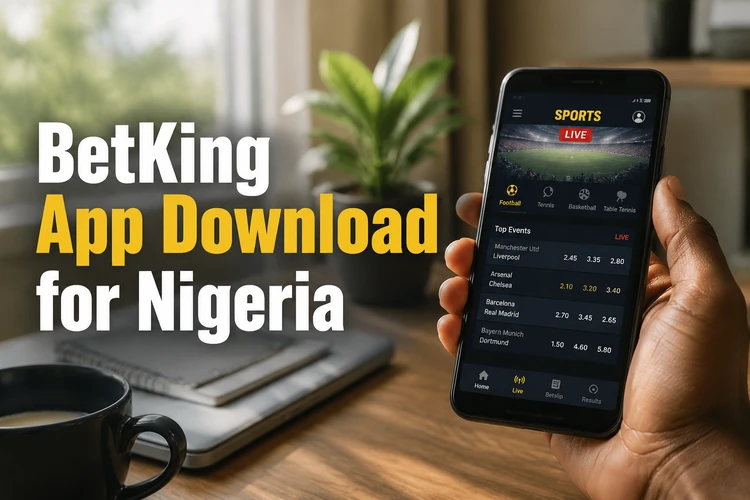
BetKing is a Nigerian sports betting operator, and its app is an Android client for the platform. Instead of relying on a browser tab, it runs as a separate program on the phone, with a touchscreen layout for odds, selections, and account controls. The app provides access to the sportsbook, live markets, casino content, and account management.
Device compatibility and available functions can change with each release, so check the requirements shown on the official download page before installing. iPhone users can use the mobile version of the site in Safari or another browser if an Android APK is not suitable for their device.
Where to Download the BetKing App
Get the APK directly from the official BetKing website rather than from an unfamiliar file-sharing or APK repository. A direct source reduces the risk of installing an altered or outdated file. Open the app section, select the download option, and wait for the file to appear in your Downloads folder.
Check that your browser permits downloads before you begin. Android may ask for download permission the first time a browser saves an APK. Use a stable connection and let the download finish before opening the file; an interrupted download can cause a parse or installation error.
How to Install the BetKing APK
Android normally blocks software installed outside an app store. You must allow the browser or file manager you used for the download to install unknown apps. The wording and menu location differ between Android versions, but the process is similar on most phones.
- Step 1: Open Settings and find the permission to install unknown apps. Allow it for the browser or file manager that downloaded the APK.
- Step 2: Open the Downloads folder and tap the saved APK file.
- Step 3: Review the installer screen, then tap Install and wait for the process to complete.
- Step 4: Tap Open after installation and allow only the permissions you are comfortable granting.
- Step 5: Log in with an existing account. New users can create an account if registration is available in the app.
Once the installation is complete, you can remove the unknown-app permission from that browser or file manager. This does not remove the app; it simply prevents future installations from that source until you enable the permission again.
APK Security and Updates
An APK is the installation package used by Android. Downloading it from the operator's official source helps avoid unverified copies. Before opening any file, confirm that it came from the site you intended to use, and do not bypass Android warnings without checking the source.
Updates may require downloading a new installation file. Read any update notice, download the current file from the official source, and run it over the existing installation where Android permits. If the installer reports a conflict, remove the older app only after ensuring you can sign in again. Keeping your login details private and using a screen lock on your phone are sensible additional safeguards.
BetKing Mobile App Features
The app includes a sportsbook with football, basketball, tennis, and other markets, subject to what is available at the time. Pre-match selections and in-play markets are shown separately, while live odds can change quickly as an event develops. Always review the selection, stake, and displayed odds before confirming a bet.
Account areas may allow deposits, withdrawal requests, betting-history checks, and personal-detail updates. Payment options and processing requirements are shown in the relevant account screens and can vary. Casino content is accessed in its own area. Notification settings can be adjusted from the phone if you do not want alerts about settlements or offers.
BetKing Old Mobile Lite
Old Mobile Lite refers to an earlier, lighter mobile interface aimed at devices with limited memory, slower processors, or restricted data access. It focused on essential betting actions and reduced heavier visual elements.
The current experience may work adequately on many entry-level Android phones, but performance depends on the handset, storage space, and connection. On a particularly old device, the browser-based mobile site can be a practical alternative. Check the official site for the currently supported option rather than relying on old installation files.
Common Installation Problems and Fixes
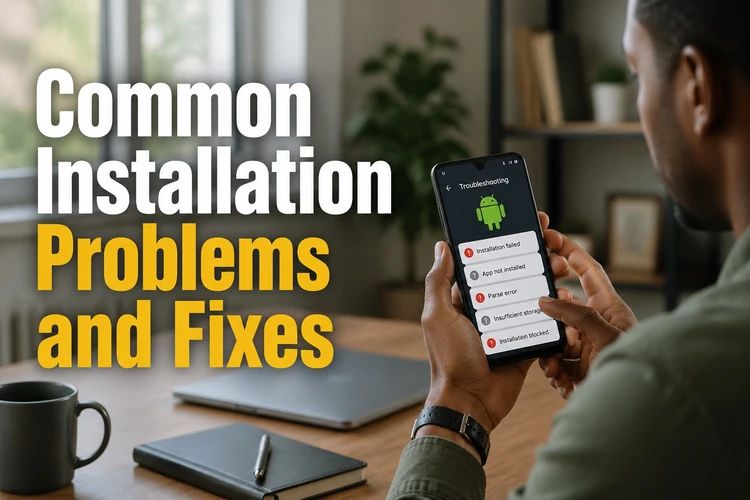
Most installation problems relate to an incomplete file, storage limitations, permissions, or an older version already on the phone. Start by checking the file source and the available storage, then try the relevant fix below.
| Problem | Likely cause | Fix |
|---|---|---|
| Parse error during install | Incomplete or damaged download | Delete the file, reconnect to a stable network, and download it again from the official source. |
| App not installed | Permission is disabled or an older build conflicts | Allow installation for the relevant browser or file manager. If needed, remove the older build first. |
| Insufficient storage | Too little free device space | Clear unneeded files or app caches, then restart the phone before trying again. |
| Login fails | Incorrect details or an account issue | Use the password-reset option on the login screen and check that your connection is active. |
| App closes after an update | Update did not complete correctly | Restart the device, then reinstall the current file if the issue continues. |
If these steps do not solve the problem, contact the support team with your device model, Android version, and a description of the error. Never share your password or verification codes when asking for help.
Using BetKing in Nigeria
The app is intended for users in Nigeria. Payment methods, available markets, and account checks are displayed in the relevant sections and may change over time. Use your own account details and review any payment information carefully before confirming a transaction.
Connection quality can affect live markets and bet confirmation. If a signal drops while you are placing a bet, reopen the bet history or transaction area after reconnecting to see whether it was accepted; do not repeatedly submit the same selection. You must be 18+ to open an account and use the service.
FAQ
Open the official BetKing website, go to the app section, and download the APK to your phone. Allow your browser or file manager to install unknown apps, then open the downloaded file and follow the Android installer.
Use the official operator source and avoid third-party APK sites. Check that the download completed before opening it, and pay attention to any Android security warning.
Yes. Use the same login details as on the website. If you cannot remember your password, use the password-reset option on the login screen.
It describes an earlier lightweight mobile interface for older devices and limited connections. Check the official site for currently supported mobile options instead of installing an old file from an unverified source.
Download the current APK from the official source and run the installer. Android may update the existing app directly; if it reports a conflict, make sure you can access your account before removing the older version.
Check the installation permission, free storage space, and whether the APK download completed. If an error remains, delete the file and download it again. Contact support with your device model and Android version if necessary.